Event template
This template is used to create an event that has a specific start and end date.
- An event, or multiple events can be displayed in the following components:
- Custom Colours Applicable: No
- Event templates are created below a yearly archive template
Sample event:
Related content:

Creating an Event Page
1. Location & Setup
Event pages must live within a Year/Month archive (e.g., 2026 > 03).
- Navigate to the correct Month folder (e.g., 01 for January).
- Click Create > Page.
- Select the Event template and click Next.
- Enter a Title (the URL "Name" will auto-generate if left blank).
- Click Create, then Open to begin editing.
2. Required Event Details
The template includes a built-in "Event Release" component. You must fill out these fields:
- Event Title*
- Dates: Enter a From (start) and To (end) date/time.*
- Summary: Provide a brief overview of the event.
3. Optional Details & Enhancements
- Thumbnail: Drag an image from the Side Rail > Assets into the 'Display image' tab (add Alt text and Title)
- Logistics: Fill in Location, Open to, Cost, Contact.
- Links: Add a Registration Link or Website (note: the website now includes a specific Name field).
- Formatting Note: Time markers are now standardized as lowercase a.m./p.m.
4. Adding Extra Content
If you need to add extra images, tables, or slideshows, simply drag those components below the main Event Release section.
Event template and fields:
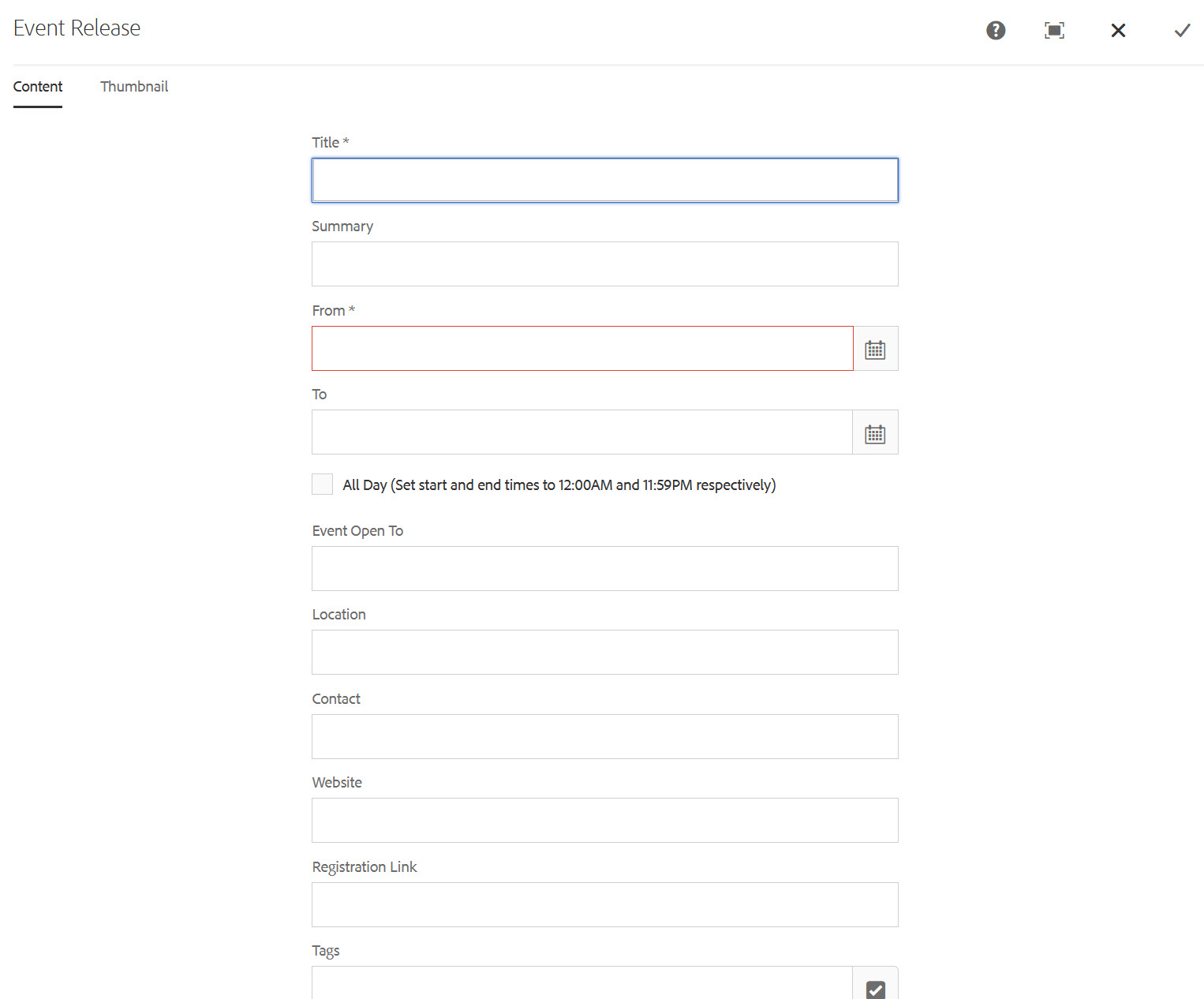
Video tutorial: How to create news & events
Sample event path using events within a yearly archive template:
| Domain | Parent | Child | Child | Child | Page |
| torontomu.ca | /psychology/ | /news/ | /2017/ | /02/ | my-event-page.html |
| Template to use: | homepage template | content template | Archive (yearly) template | archive month | Event Template |