You are now in the main content area
Author access review checklist
Regular author access reviews help keep your site secure and up to date. Site managers and authors should periodically confirm that access is limited to active staff or contractors and remove access when roles change or end, particularly after staffing or contract changes.
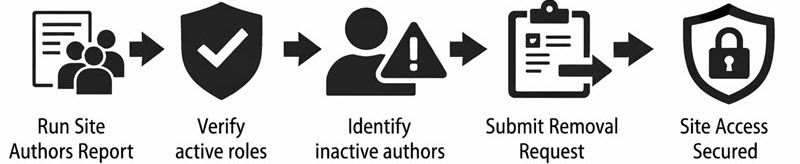
- Run an author report in AEM to identify site editors
- Verify that each author is an active staff/contractor in your department
- Flag authors whose role has ended or changed
- Submit a Remove User Request for any inactive authors
- Repeat this review regularly and after staffing or contract changes