Printing Issues
Adobe License Errors
All Adobe products require a valid Adobe account. You must login with an account to use the software.
If your school provided you with Adobe license, then you already have an account and can login with TMU credentials.
Otherwise, you can create a personal Adobe ID here: https://account.adobe.com (external link)
Select "Get an Adobe ID"
Note that Adobe IDs are personal accounts, not maintained by Toronto Metropolitan University (TMU).
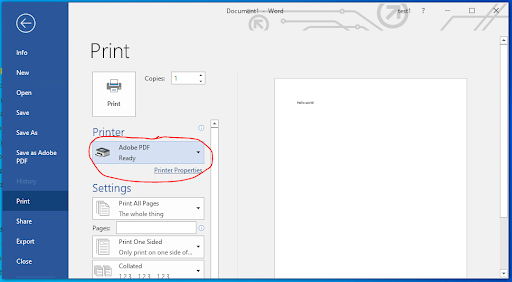
Example of an issue
Someone trying to save or print as PDF from MS Word.
Error message
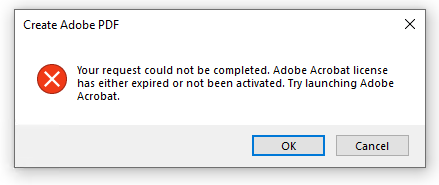
This is expected as the user has not signed in to Adobe.
To fix, open any Adobe product, eg, Photoshop and Sign In (or create a personal Adobe ID account if the user does not have one already).
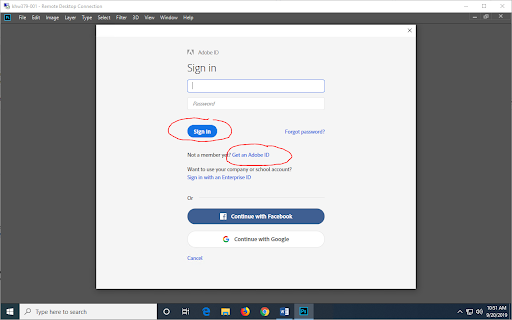
After sign-in, there will be no more errors with saving as PDF. This is by design.
Adobe ID does not need a license and it is free.