In-person quizzes in Brightspace - New Single Session limitation
If you run in-person quizzes using Brightspace, where you and your students are in the same room, it is now possible to set your quiz to lock each attempt to a single login session.
This can help maintain academic integrity in your quiz. When this setting is enabled, students cannot resume the quiz using another browser session. For example, if a student starts a quiz on a laptop, they cannot continue the quiz on another device such as a smartphone or tablet.
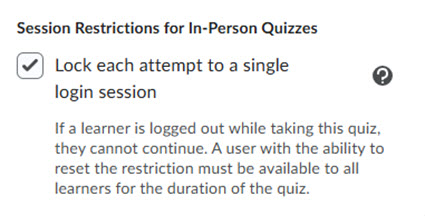
When setting up your in-person quiz, instructors can navigate to the Availability Dates & Conditions section while creating or editing a quiz and select Lock each attempt to a single login session.
Keep in mind that you must be available in person to support your students. If a student experiences a technical problem, and cannot re-enter the quiz, you will need to have access to Brightspace, to follow a number of steps to allow the student back into the quiz in a timely manner, as their quiz timer continues to count down.
This setting is NEVER appropriate to use in a remote quiz, and could result in a lot of students locked out of a quiz for legitimate reasons, as well as an increased risk of academic integrity breaches. The single-session restriction would add no value to a remote assessment.