NSLSC Funding Tracker
NSLSC Funding Tracker
Discover why you should log in regularly to your National Student Loans Service Centre (NSLSC) account and learn about when funds are disbursed.


The National Student Loans Service Centre (NSLSC) is the “lender” of student loans in Canada. They're responsible for the release (disbursement) and collection of student loans and also support your questions about student loan repayment or repayment assistance options. Detailed information related to your overall student loans can be found on your NSLSC account (external link) .
It's important that you proactively monitor your NSLSC account (external link) for any changes to your profile information and enrolment (such as study period start and end dates, program information, etc.). We recommend checking your NSLSC account on a weekly basis so you don’t miss out on important updates.
Log in to your NSLSC account (external link) using your preferred sign-in method (Interac Sign-In Partner or GCKey username and password). Be sure to keep your login credentials in a safe place as you'll need to access your NSLSC account throughout your studies and during repayment.
Once logged in using your preferred method, you'll automatically be taken to your NSLSC “My Dashboard” page. The NSLSC dashboard has different sections with direct links to new notifications "Funding Confirmed" and "Loan Summary" where you can find updates on the status of your loans and your Repayment Assistance Plan (RAP).
If you have an active full-time student loan or if you're waiting for new funds, the dashboard will automatically have a “Funding Tracker” at the top of the page. This will include the status of your funding from the time the Master Student Financial Assistance Agreement (MSFAA) is completed, to the disbursement from NSLSC to your MyServiceHub account and/or bank account.
Note: Every student’s dashboard may look a little different.
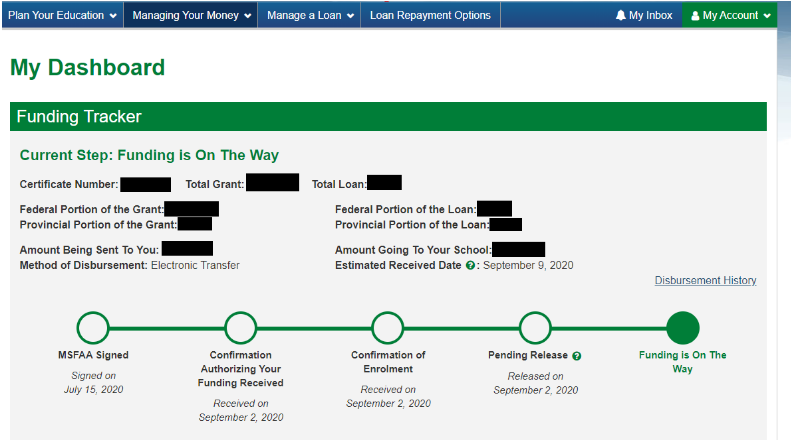
The Funding Tracker is very detailed, highlighting the amount of funding you'll receive in:
- Federal grants
- Provincial grants
- Federal loans
- Provincial loans
It also highlights the amount of funding being sent to your authorized bank account and the amount being sent to your school.
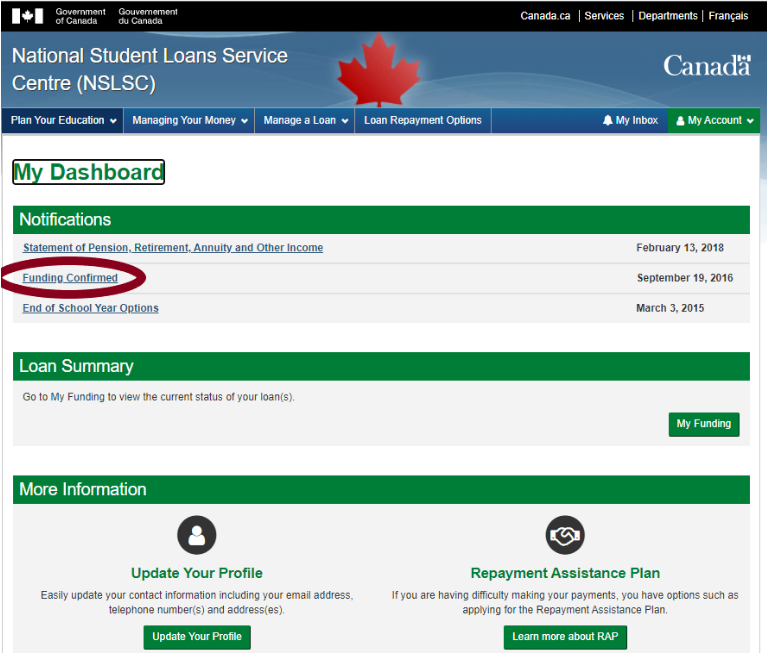
Under “Notifications” on the “My Dashboard” page, select “Funding Confirmed” to find confirmed funding and amount paid to-date.
Note: Once you select this link, you'll be taken to your inbox and the notification will disappear from the dashboard. You can access the message later on in your inbox if required.
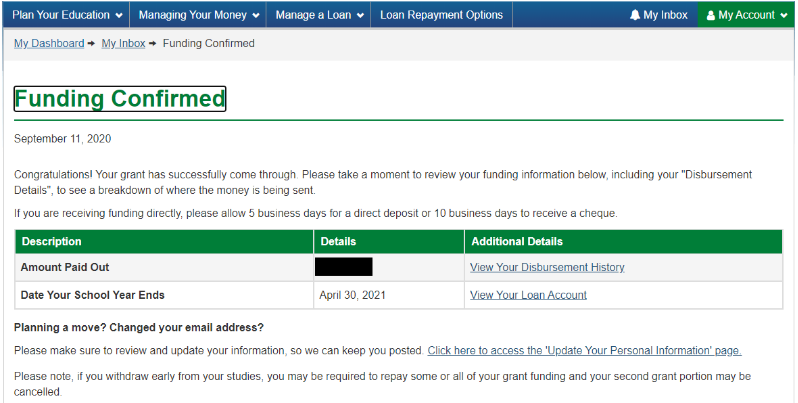
The message in your inbox will indicate your funding has been confirmed and include details in a table that includes your "Amount Paid Out" and the "Date Your School Year Ends."
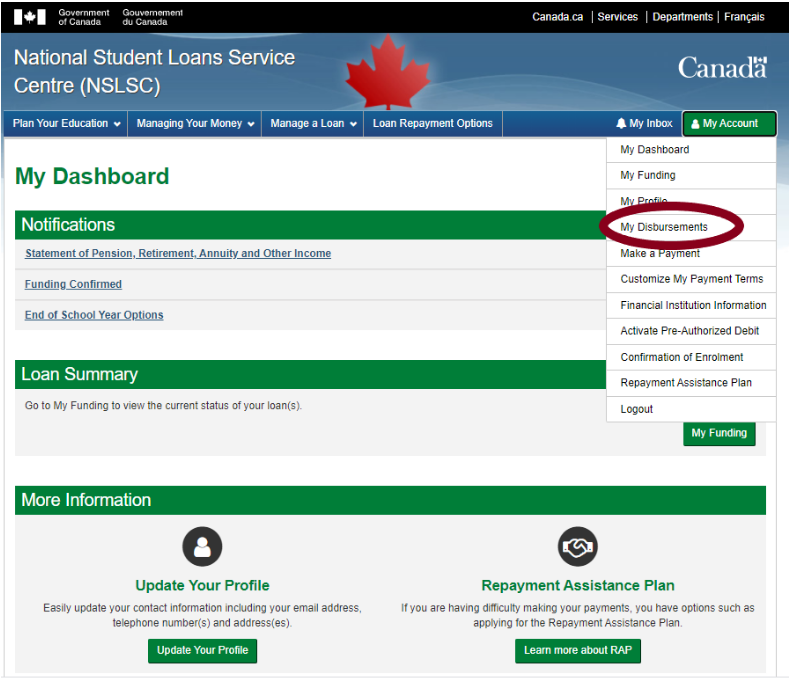
There are 2 ways you can access your disbursement history (the actual release of your financial aid funds):
- On the “Funding Confirmed” page, select the “View Your Disbursement History” link.
- From any page in your NSLSC account, go to the “My Account” drop down menu and select "My Disbursements" from the list.
Your disbursement history will look different from other students' histories!
The following example of the "Your Disbursement History" page includes the Loan Type/Total Loans Disbursed chart as well as the disbursement dates and details you may find on your account.
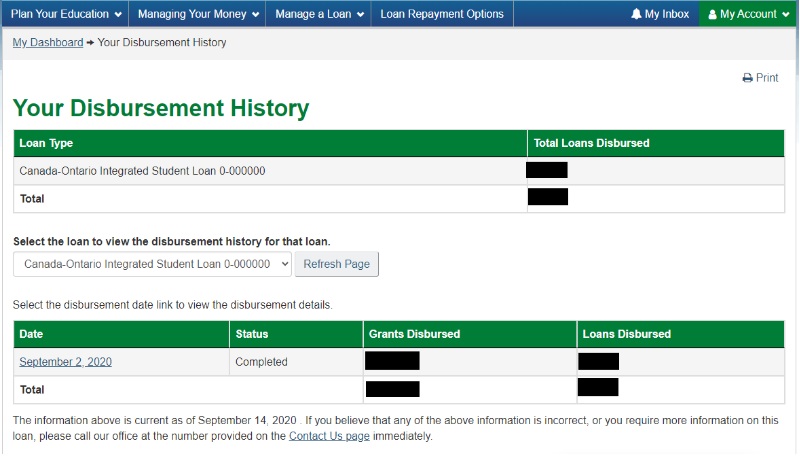

Once funding is released, funds are typically received within 5 to 10 business days from date of disbursement. Note that funding is usually disbursed in installments as it comes from different levels of government. This means it may take the full 10 business days for you to receive the full amount of your funding.
You should only contact the NSLSC (external link) if 10 business days have passed and you haven't received your funding.
Keep in mind:
- You can confirm if your OSAP funding has been applied to your student account by completing an Account Inquiry in MyServiceHub
- If you're due to receive OSAP funding to your authorized bank account, you must log onto your online banking account to confirm if your OSAP funding has been applied