Website setup
While the Adobe Experience Manager (AEM) environment offers a wide range of design and typography settings, to ensure a consistent and cohesive brand experience across all Toronto Metropolitan University websites, it is recommended that sites utilize the specific settings outlined within these guidelines. Adhering to these recommended configurations will help maintain our modern, bold, accessible, and unified online presence that is aligned with our print and other visual standards.
When setting up or updating your website within AEM, you will need to configure three core elements at the root level of your site in AEM Site Properties (ie: the highest-level folder or page that represents your entire website). Once set, these configurations will automatically apply to all pages within that site, ensuring consistent adherence to the updated TMU brand style.
Page Contents
Site backgrounds
While there are options for grey or white backgrounds, we recommend that web pages utilize a white background. This provides optimal contrast for our brand typography, enhances readability, and ensures a bright, contemporary aesthetic that is aligned with the TMU brand. While the grey background option is currently appears on many existing pages, we are recommending all sites use the white background in future for consistency and to align with the TMU brand guidelines for web.
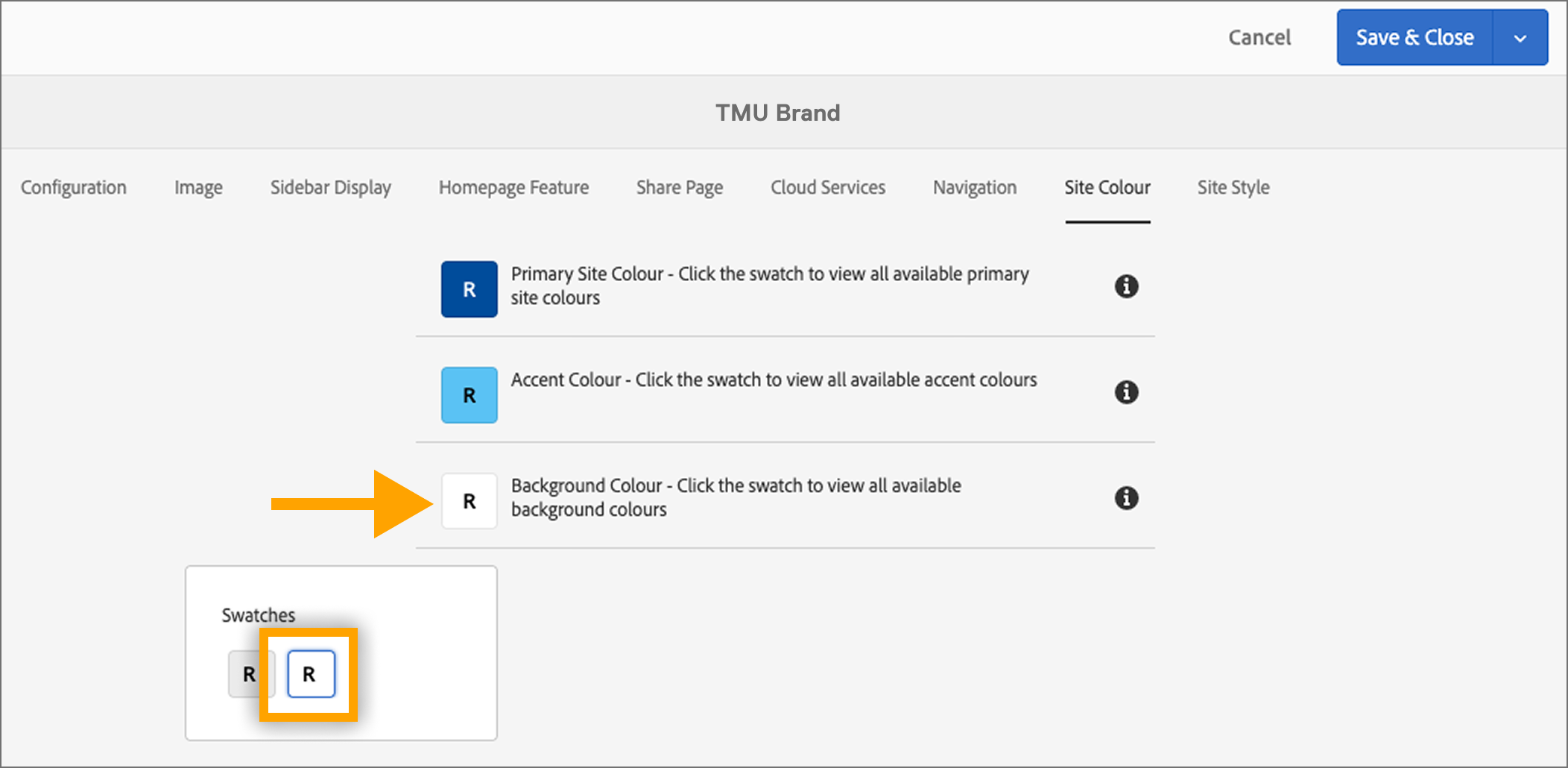
Select the white background from the ‘site colour’ settings in your site properties

Colour palette
While dozens of colour options are available within AEM, we aim to unify our websites by selecting colours in a consistent manner. Therefore, in order to stay on brand we recommend using blue tones be selected as the primary and secondary accent colours for your site.
- Primary Blue (TMU Blue): #004c9b (RGB: 0, 76, 155)
- Secondary Blue: #5BC2F4 (RGB: 91, 194, 244)
As a second option, site owners can also select TMU’s Primary Blue, and choose TMU Gold as the secondary colour
- Primary Blue (TMU Blue): #004c9b (RGB: 0, 76, 155)
- Secondary Gold (TMU Gold): #ffdc00 (RGB: 255, 220, 0)
To apply these colours, navigate to your site's Site Properties, then select the 'Site colour' tab to choose these predefined TMU blues from the palette options.
Note on Colour Transition: While other colours may have been used extensively on existing TMU websites in the past, we are actively moving towards a unified brand identity. Adopting only the specified Primary Blue and Secondary Blue/Secondary Gold for site accent colours is crucial for achieving this consistent and recognizable brand presence across all digital platforms.
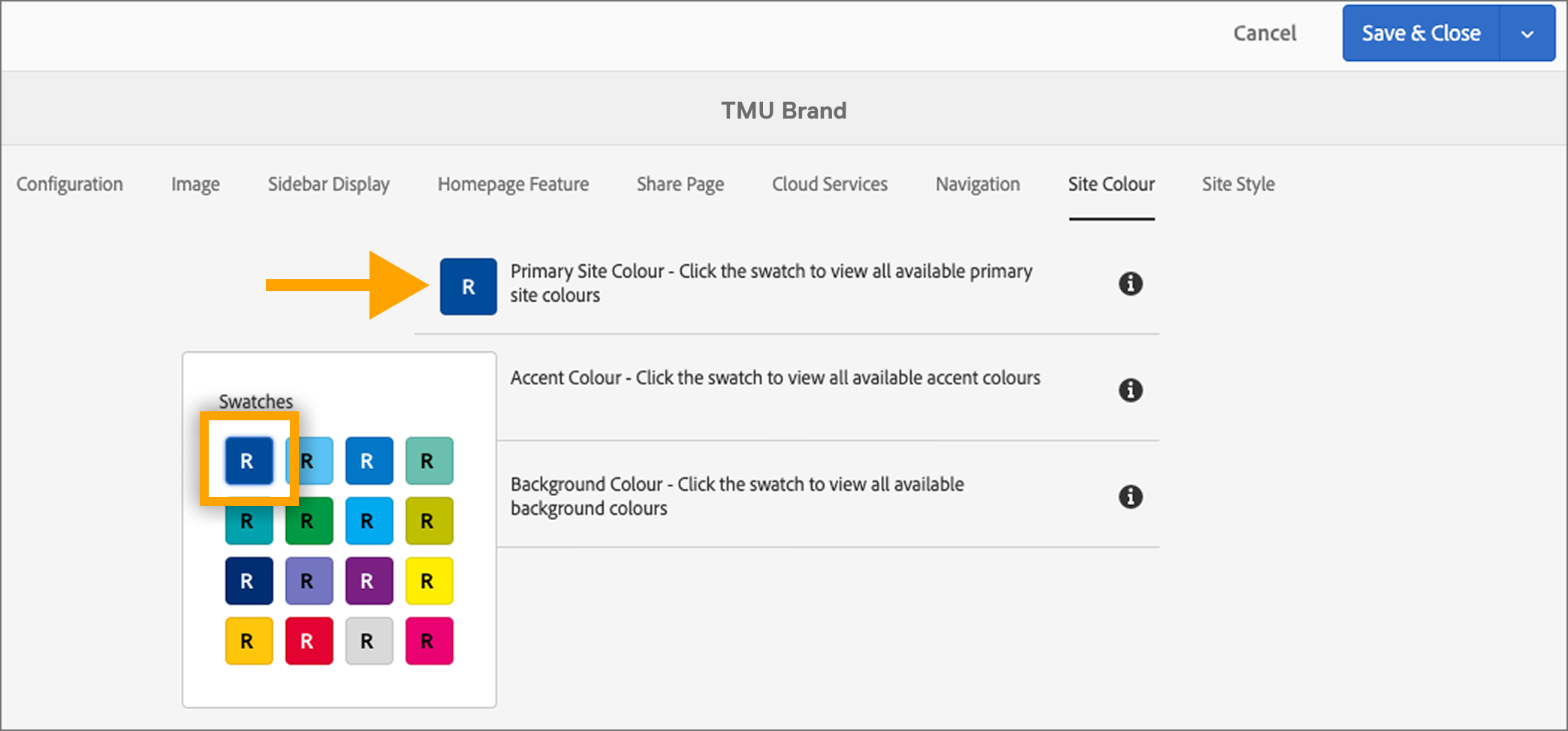
Select TMU blue the as the ‘primary site colour’ settings in your site properties
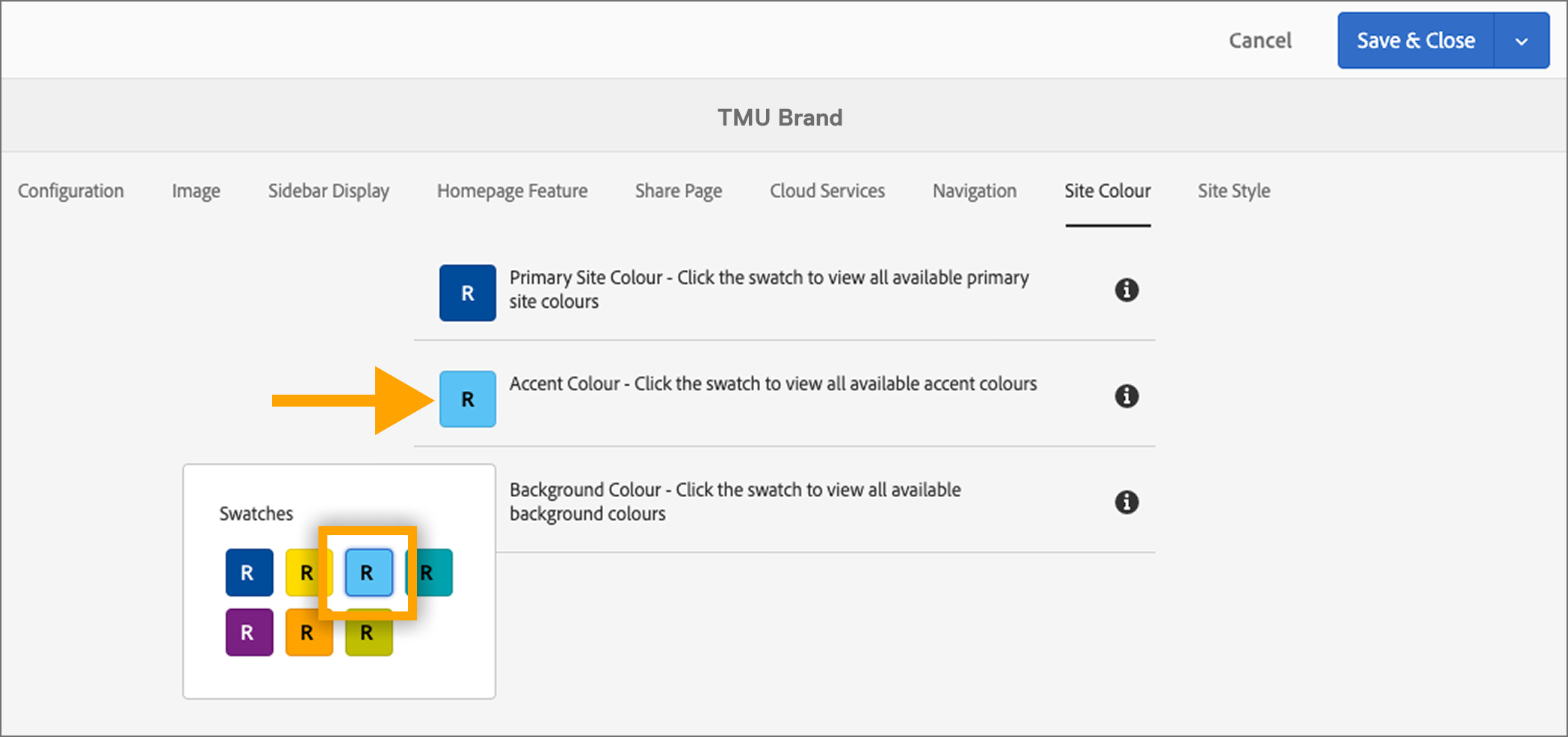
Select the indicated light blue as the ‘secondary site colour’ settings in your site properties.
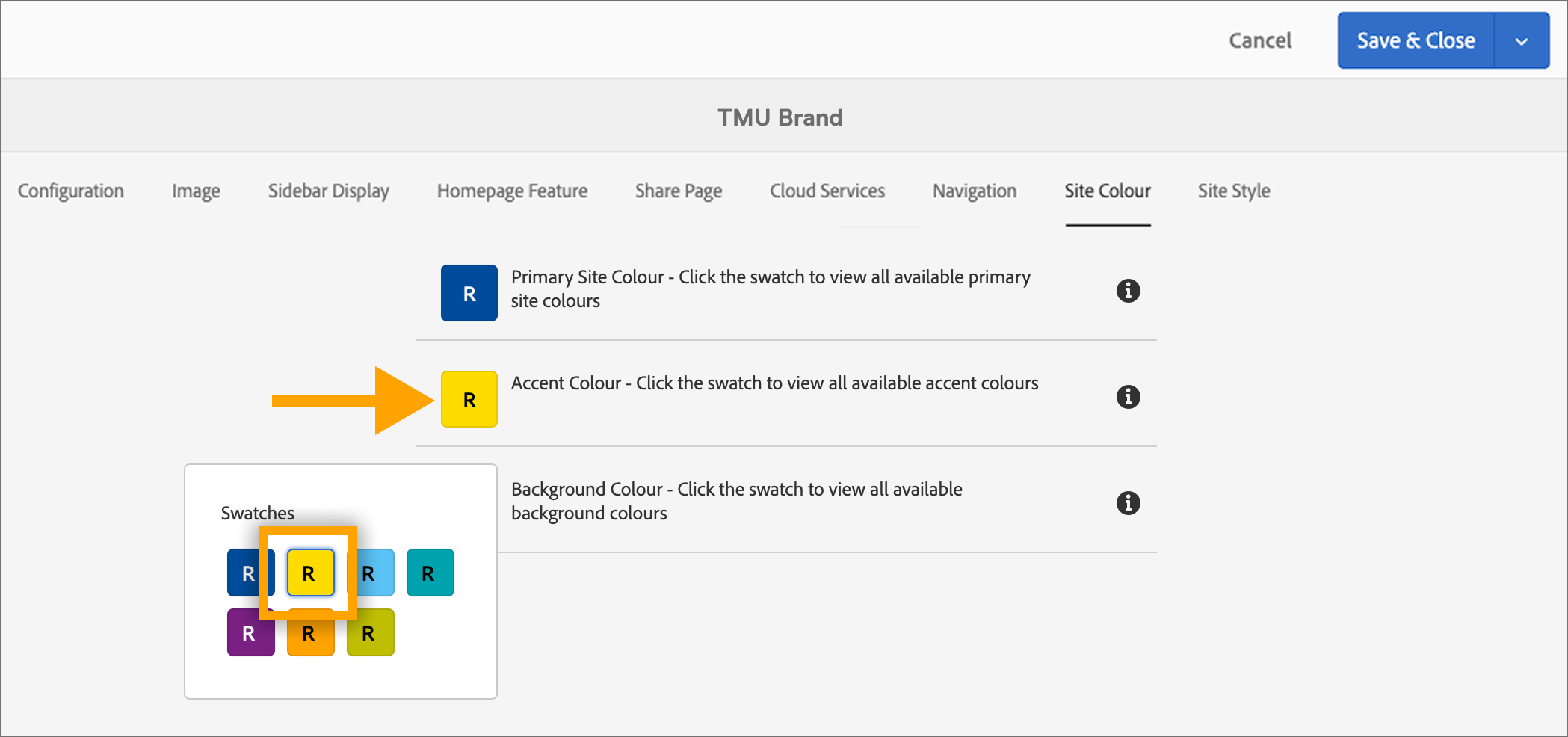
Gold can also be selected as the secondary site colour in your site properties.
Font Family - Headings
Of the three fonts available in AEM, Polaris Condensed is the official brand font for headlines and statistics, while Replica remains the default for body text and navigation. While Replica can still be selected as a heading font, it is being phased out for web headings in favour of Polaris. Lyon should not be used for website content and is being deprecated in AEM.
To set up your site's heading font:
- Open your site's Site Properties in AEM.
- Select the Configuration tab.
- Under Font Family - Headings, select Polaris.
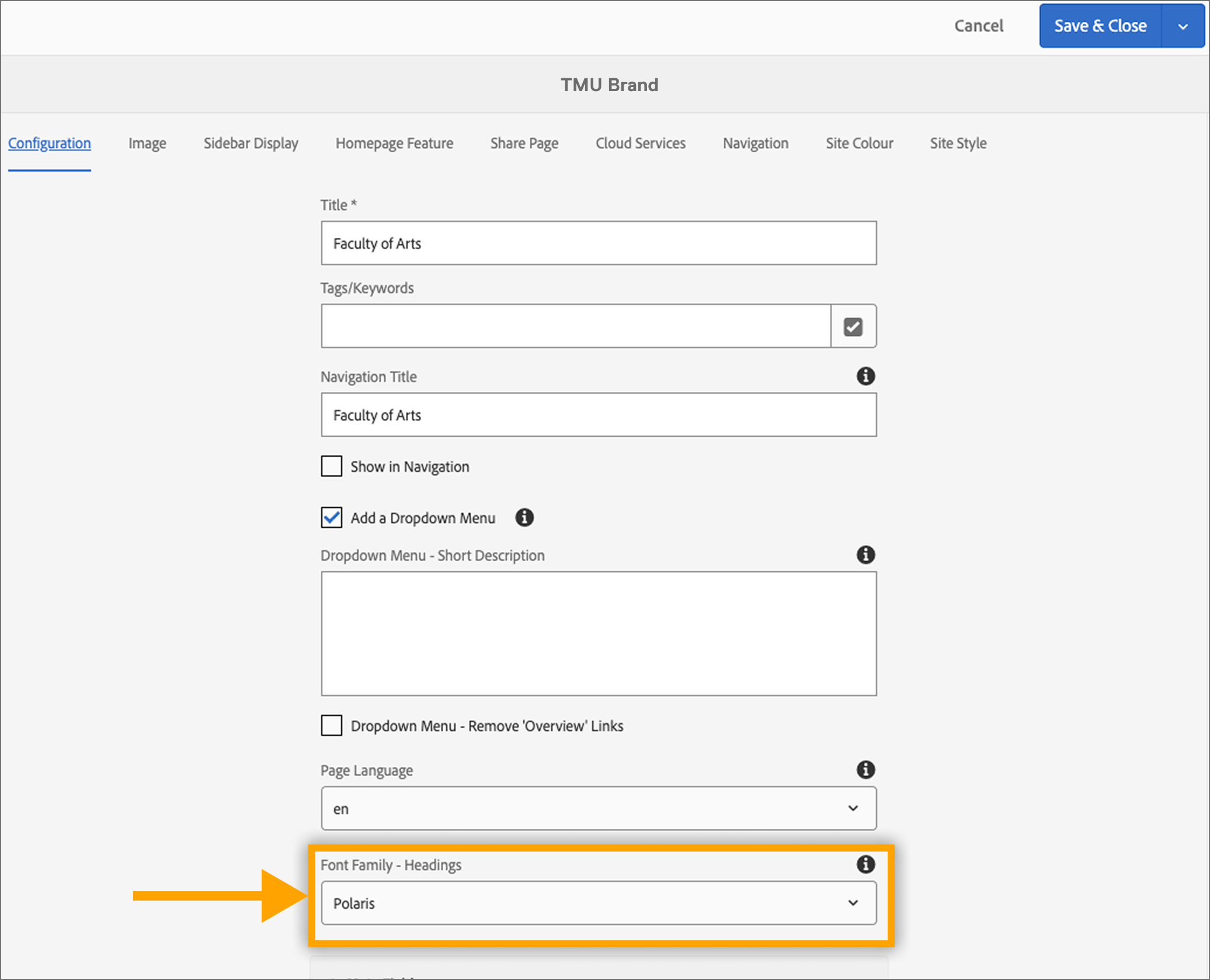
Select the font family ‘Polaris’ in the configuration tab of your site properties.
Questions?
If you have any questions regarding these website brand guidelines, please contact University Relations.